 Docs
DocsUsing the panel
Projects
A project is a git repository checked out on the server, with everything it needs around it: domains, a database, workers and cron jobs. The wizard sets all of it up in one pass.
The projects list
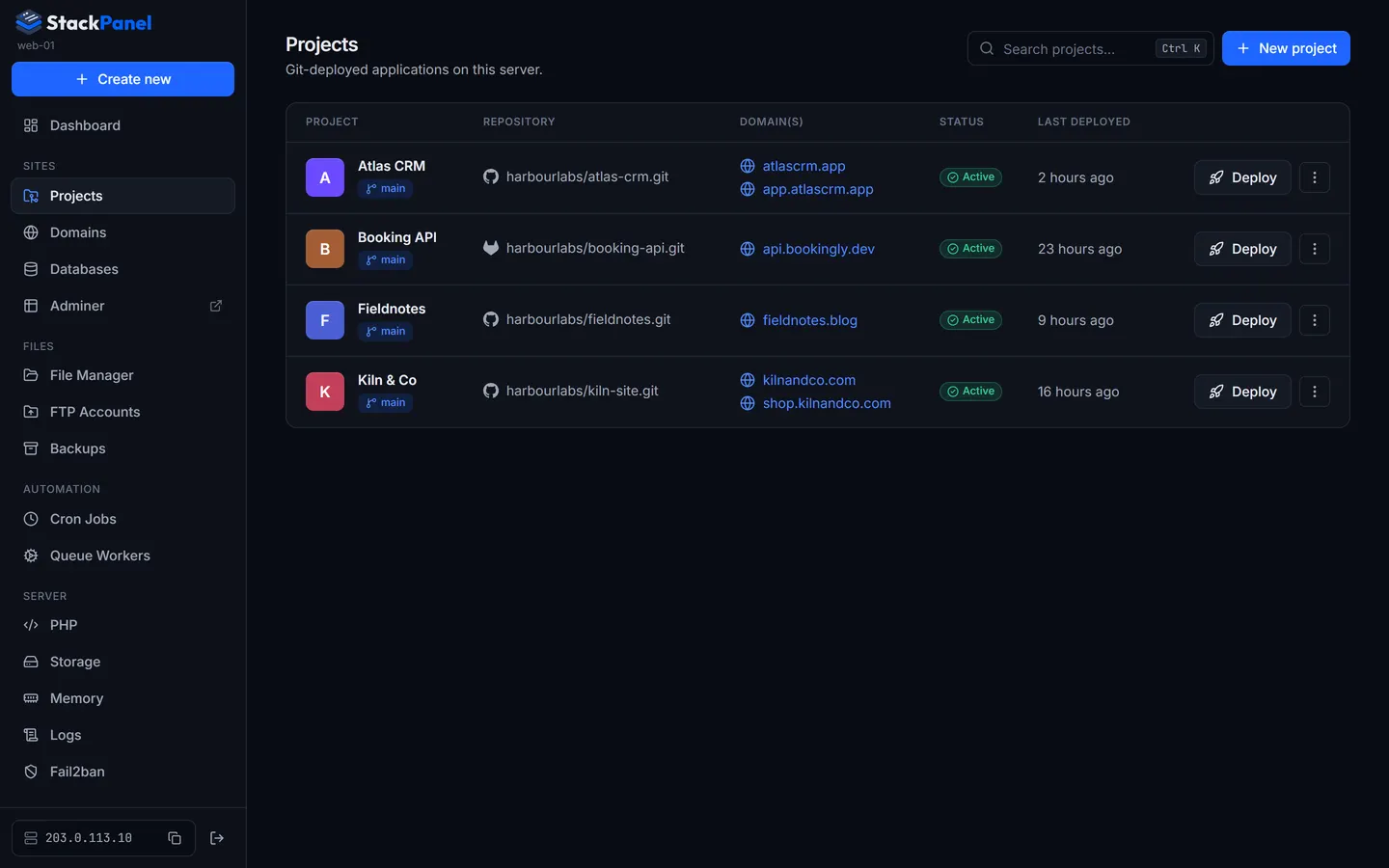
Projects lists every project with its repository, branch, domains, status and when it was last deployed, with a Deploy button on each row. Search with Ctrl+K.
Creating a project
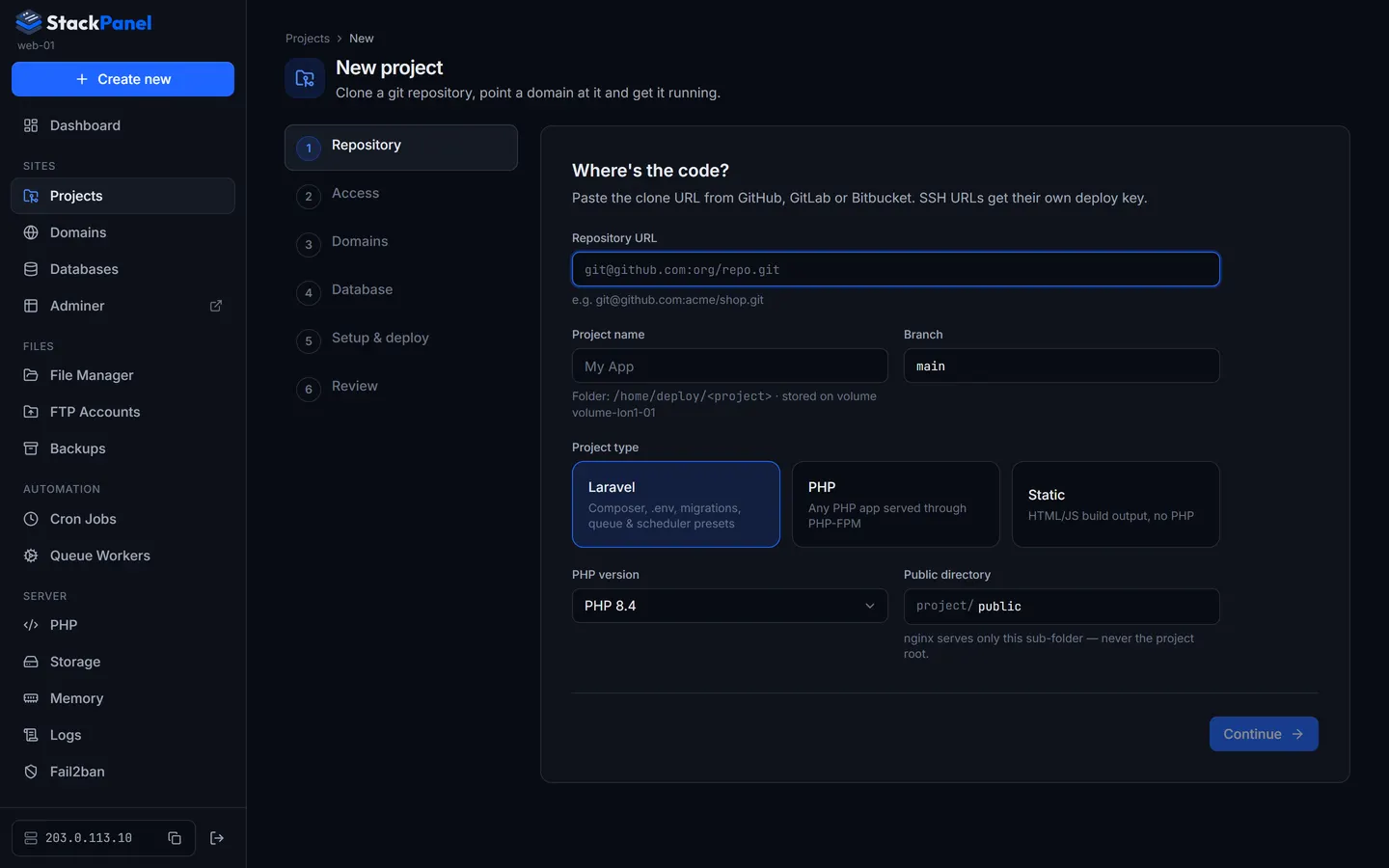
Projects → New project opens a six-step wizard. Your progress is saved after step 1, so you can leave and come back: unfinished projects show Continue on the projects list.
-
Repository
Paste the clone URL. SSH URLs (
git@github.com:org/repo.git) are recommended and get a deploy key; HTTPS URLs work for public repositories. The project name and folder (/home/deploy/<name>) are filled in from the repo name.Choose the type (Laravel, PHP or Static), the PHP version (any installed on the server) and the public directory,
publicby default. nginx serves only that sub-folder, never the project root, so.env,vendorand source code are never web-accessible. The panel refuses an empty value,.or... -
Access
For SSH repositories the panel generates a read-only ed25519 deploy key just for this project. Copy it and add it to the repository (GitHub: Settings → Deploy keys → Add deploy key, leave write access off; there's a direct link for GitHub repos). Then click Test connection; on success you can pick the branch to deploy from a list.
-
Domains
Add one or more domains or sub-domains, each with optional www and SSL. Parked domains you added earlier are suggested. You can skip this and add domains later. Point the DNS A records at the server first if you want SSL during setup.
-
Database
"Does this project need a database?" Yes creates a MySQL database and user (named after the project) with a strong generated password and all privileges on that database only. Or pick an existing, unlinked database.
-
Setup & deploy
For Laravel, toggle a queue worker (
queue:workunder Supervisor), the scheduler (cron runningschedule:runevery minute) and a front-end build (npm ci && npm run build).First-time setup runs once after cloning. The Laravel default is
composer install,key:generate(only ifAPP_KEYis empty),storage:link,migrate --forceandoptimize. Before it runs, the panel copies.env.exampleto.envand fills inAPP_NAME,APP_ENV=production,APP_DEBUG=false,APP_URLand theDB_*credentials.The deploy script runs on every deploy. The default is just
git pull; the Laravel preset adds Composer, migrations,optimizeandqueue:restart. -
Review
Check the summary and click Create project. A live log shows each stage: clone → .env → setup commands → permissions → nginx per domain → SSL → cron → workers. When it finishes you get a link to the project.
If setup fails (most often a missing deploy key), the project is marked Failed. Fix the cause, then press Retry setup on the project page. Domains, databases, workers and cron jobs created the first time are reused.
The project page
| Tab | What's there |
|---|---|
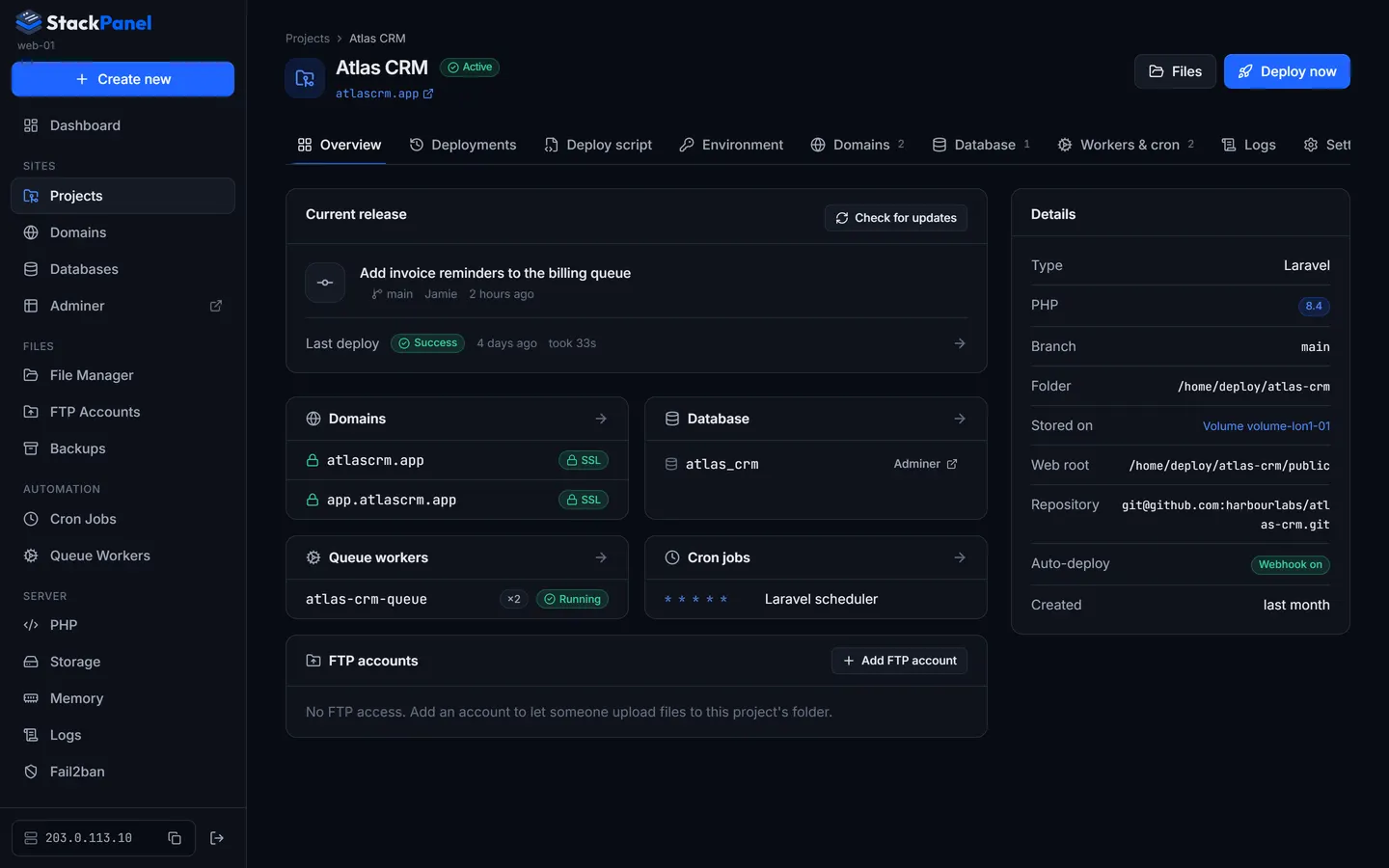
| Overview | Current release (commit, author, time), last deploy result, Check for updates (fetches and lists commits not yet deployed), and cards for domains, database, workers, cron and FTP with quick-add buttons. A live log appears while a deploy is running. |
| Deployments | History of setups and deploys with status, trigger (manual / webhook / wizard), commit and duration. Select one to read its full log; running ones stream live. |
| Deploy script | Edit the deploy and first-time setup scripts. One-click presets; Ctrl+S saves. |
| Environment | The project's .env. Secrets (*PASSWORD*, *KEY*, *SECRET*, *TOKEN*) are masked until you click Reveal & edit. Laravel caches config, so deploy after changing values. |
| Domains | The project's domains with SSL state; add new ones, connect a parked domain, issue certificates or disconnect (park) a domain. |
| Database | Connection details for linked databases with password reveal/rotate and an Adminer link. Creating one here can write the credentials into the project's .env for you. |
| Workers & cron | The project's Supervisor workers and cron jobs, with project-aware templates. |
| Logs | The project's application logs, its domains' logs, its workers and cron output. See Logs. |
| Settings | Name, branch, type, PHP version and public directory (changing PHP version or directory updates nginx automatically). Webhook settings, deploy key and the danger zone. |
Deleting a project
Settings → Danger zone. Workers, cron jobs, FTP accounts and the deploy key are always removed. You choose whether to delete the files, drop linked databases, and delete the domains (otherwise they're parked). You have to type the project's slug to confirm.