 Docs
DocsServer
Memory
See what is actually using the server's RAM, by service and by process, with suggestions you can copy when something is oversized.
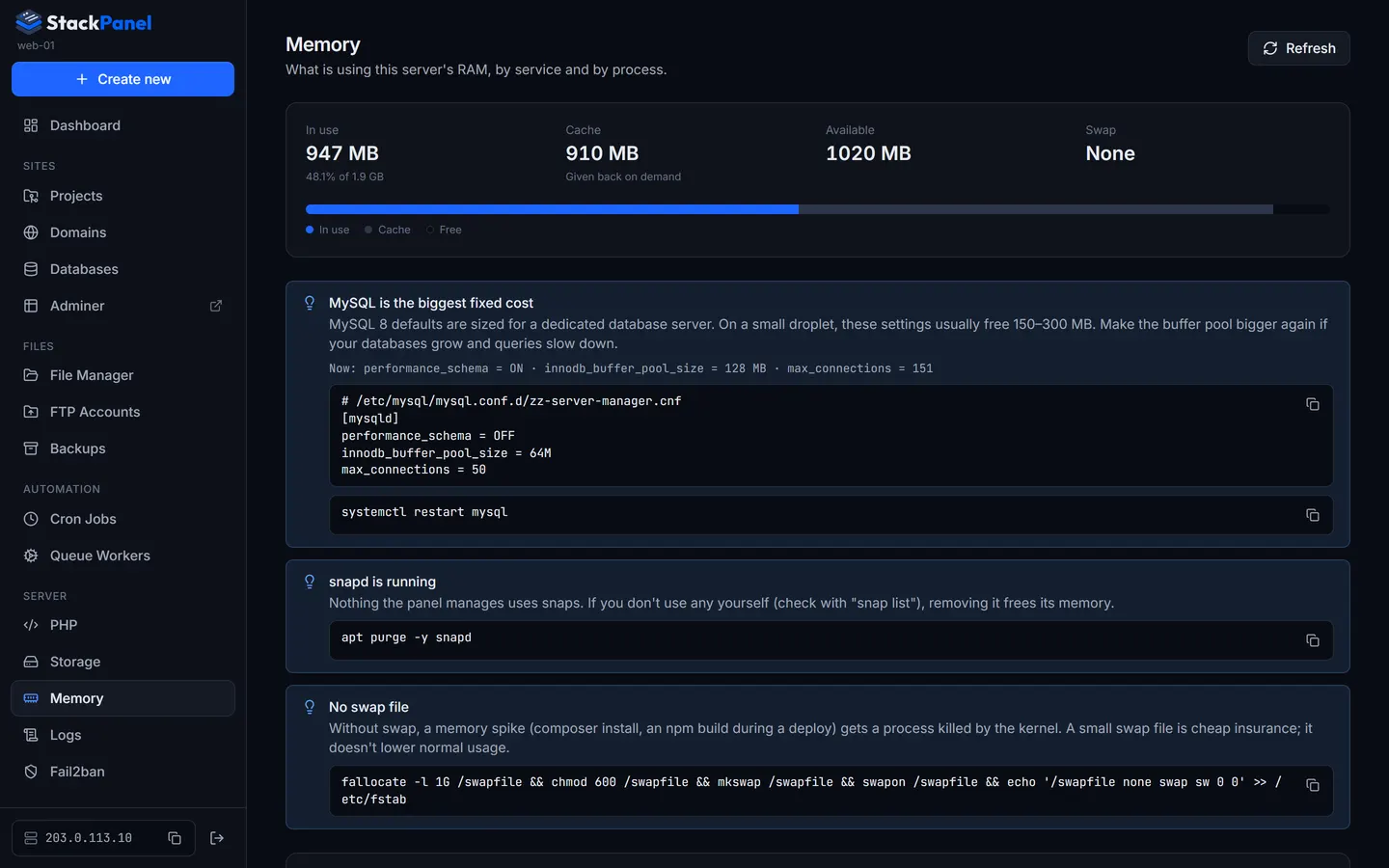
Memory (also reached by clicking the memory tile on the dashboard) shows what is using the server's RAM.
- By service lists each systemd service and Docker container (MySQL, each PHP-FPM version, queue workers, this panel, …) with the memory it can't give back.
- File cache is shown separately, because the kernel hands it to anything that needs it, so a nearly "full" server is often fine.
- Biggest processes lists the top processes with their full command, so you can tell, say, one project's queue worker from another's. Passwords on a command line are hidden.
Suggestions
Suggestions appear when they apply. Each one comes with the command or config to copy; the panel doesn't apply them for you.
- MySQL tuning: MySQL 8's defaults (performance schema, a 128 MB buffer pool, 151 connections) are sized for a dedicated database server. Turning the performance schema off and using a smaller buffer pool usually frees 150–300 MB on a small droplet.
- Unused PHP versions: a PHP-FPM version that no project uses still keeps its processes and OPcache in memory. See PHP versions to remove it.
- snapd: nothing the panel manages needs it.
- No swap file: swap doesn't lower normal usage, but it stops a deploy's Composer or npm build from getting killed when memory runs out.