 Docs
DocsUsing the panel
Deploying & webhooks
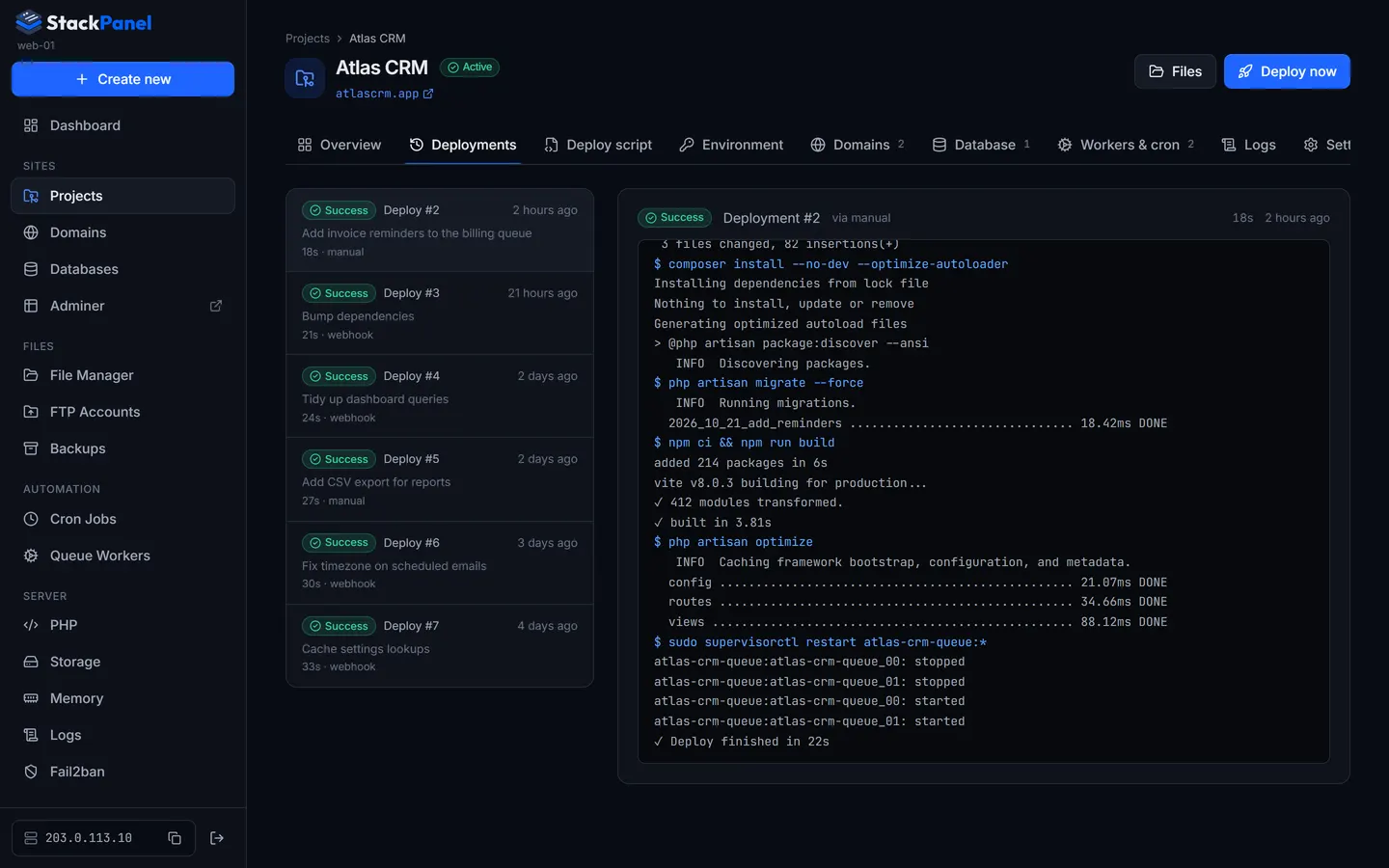
Press Deploy now, or push to your branch. Either way the deploy script runs as the deploy user in the project folder, and every run is kept with its full output.
Running a deploy
Press Deploy now on the project (or the projects list). The deploy script runs as the deploy user in the project folder, stopping at the first failing command. Each command is echoed with a $ prefix in the log. Only one deploy per project runs at a time.
Inside the deploy script
| Available | Value |
|---|---|
$SM_BRANCH | The project's branch. |
$SM_PROJECT_PATH | Absolute project folder (also the working directory). |
$SM_PHP | Path to the project's PHP binary, e.g. /usr/bin/php8.3. |
php, composer | Use the project's PHP version automatically (including inside Composer and npm scripts). |
git | Uses the project's deploy key. |
The Laravel preset, exactly as the panel inserts it:
git pull origin $SM_BRANCH

composer install --no-interaction --prefer-dist --optimize-autoloader --no-dev

php artisan migrate --force

# Uncomment if the project builds front-end assets on the server
# npm ci && npm run build

php artisan optimize
php artisan queue:restart
Queue workers keep old code in memory. The Laravel preset ends with php artisan queue:restart so workers pick up new code after each deploy.
Auto-deploy on push
- Switch it on
Project → Settings → Auto-deploy webhook: turn on "Deploy automatically on push".
- Copy the URL and secret
Copy the Payload URL and reveal the Secret. Open the panel through the domain you want GitHub to call before copying the URL.
- Add the webhook
GitHub: repo Settings → Webhooks → Add webhook, content type
application/json, paste URL and secret, "Just the push event". GitLab: Settings → Webhooks, paste the URL and use the secret as the Secret token, trigger on push events.
Signatures are verified (GitHub HMAC-SHA256 / GitLab token). Pushes to other branches are ignored. Regenerate URL & secret invalidates the old ones.