 Docs
DocsServer
PHP versions
Run several PHP versions side by side, see exactly what depends on each one, and move things across when it's time to upgrade.
PHP (under Server) lists every PHP version installed on the server: its exact version, whether its FPM service is running, how much memory FPM uses and how many extensions it has. Each one lists what uses it:
- Projects: the version they're served with. Deploy scripts use the same
php. - Cron jobs and queue workers whose command names a version (
/usr/bin/php8.3 artisan …). Commands that run plainphpare marked via php and count against the CLI default. - CLI default: what plain
phpruns, over SSH and in commands that don't name a version. - nginx, Supervisor and cron files the panel doesn't manage that mention a version are flagged too. Moving things doesn't change those files; edit them by hand.
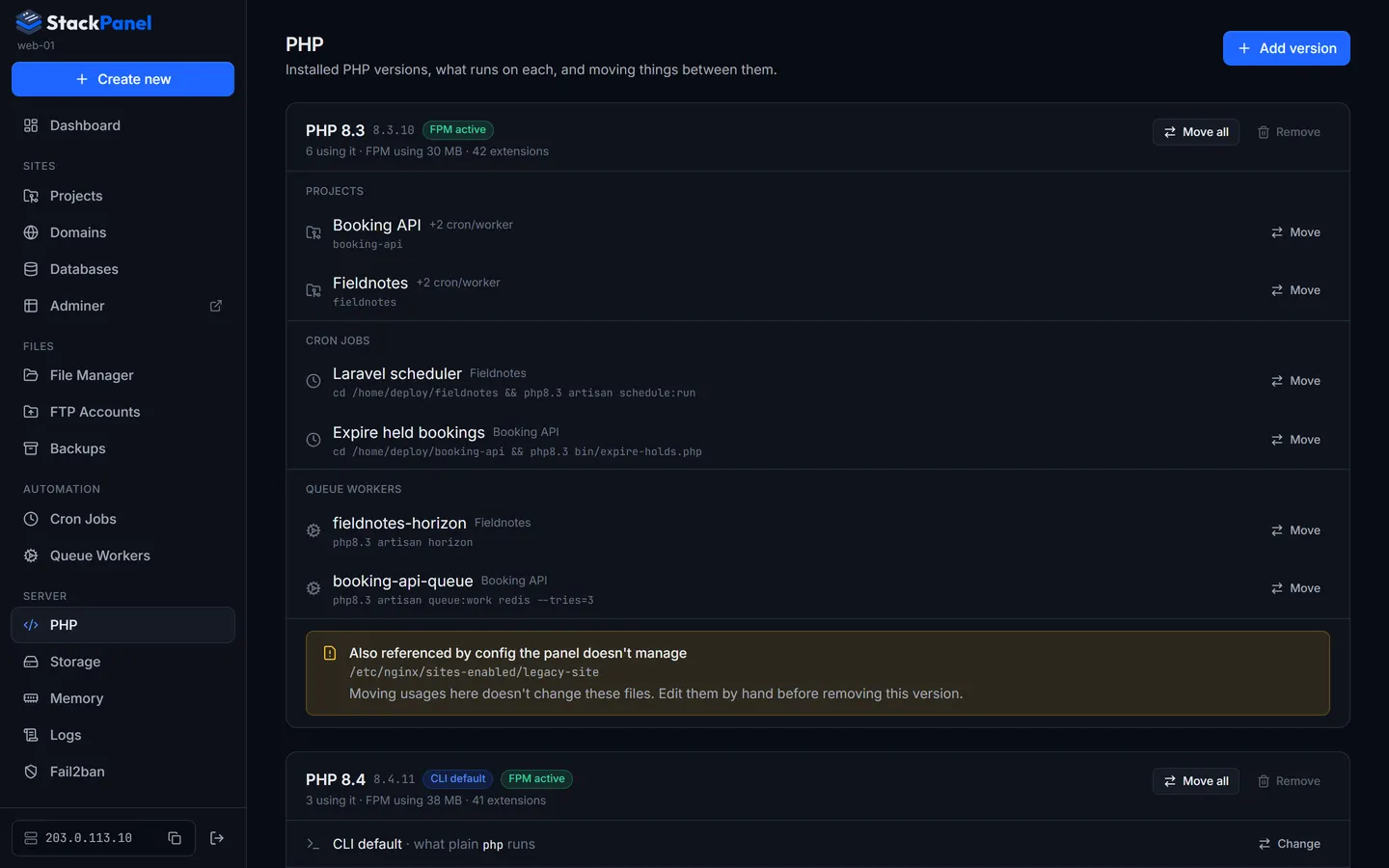
Moving to another version
Click Move on anything (or Move all on a version) and pick the target version. If the target is missing extensions the current version has, you'll see which ones first.
Moving a project switches its nginx config to the new PHP-FPM and, by default, also moves its own cron jobs and workers that name the old version. Moving a cron job or worker changes the php in its command (plain php becomes the exact new version); workers restart straight away. Composer dependencies aren't reinstalled, so run a deploy if the project needs it.
Adding and removing versions
Add version (main administrator) installs any version the ondrej/php repository offers, using the same script as provisioning (provision/php-version.sh): FPM and CLI, the usual extensions, a pool running as the deploy user, OPcache on. It takes a few minutes and the log shows on the page.
Remove stops the FPM service and purges the version's packages and /etc/php/<version>. It's only possible once nothing uses the version, it isn't the CLI default, and another version with FPM remains. Type php8.x to confirm.