 Docs
DocsUsing the panel
Domains & SSL
Each domain gets its own nginx file. It can serve a project, a parked page or a for-sale page, and it can have a free Let's Encrypt certificate that renews itself.
Adding a domain
Domains → Add domain (or from a project's Domains tab).
- Domain / Sub-domain: type a bare domain (
example.com), or switch to Sub-domain to pick a parent you've already added and type the prefix (app→app.example.com). Add the bare domain and tick www rather than addingwww.example.comon its own. - What should it serve? Park it (the default) shows the parked page until you connect it. For sale shows a "this domain is for sale" page with a Make an enquiry button that opens an email (subject "Enquiry about <domain>") to the address in Settings → Domain for sale page. Connect to a project serves that project's public folder.
- Also serve www adds
www.to nginx and to the certificate. - Issue SSL requests a Let's Encrypt certificate right after nginx is configured.
Every change is validated with nginx -t before reloading; if the test fails, the previous config is restored and the error is shown on the domain.
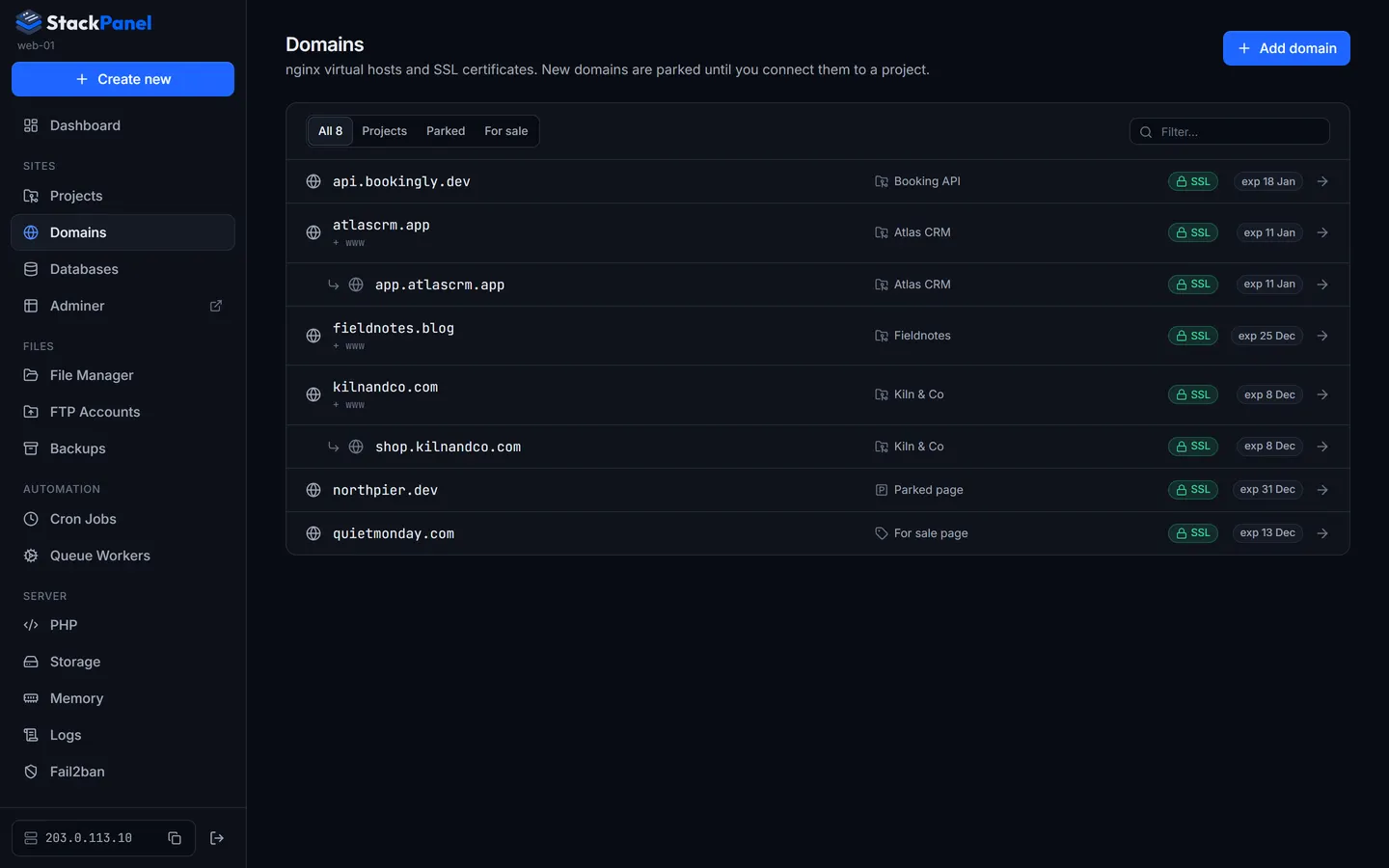
The domain page
- The list is alphabetical. A sub-domain is nested under its parent only when the parent domain is also in the panel (e.g.
app.example.comunderexample.com). - What it serves: switch between parked, for sale and any project in one click. Toggling www re-issues the certificate automatically.
- DNS check: resolves each name and compares it with the server's public IP, telling you exactly which A record to create.
- nginx configuration: the generated vhost, read-only.
SSL certificates
From the domain page you can issue, re-issue or remove a certificate, and see the names it covers and when it expires. Certificates are issued by certbot using the webroot method, so the panel's generated nginx configs stay the source of truth. Renewal is automatic: certbot's timer renews, and nginx reloads after each renewal.
Let's Encrypt validates over plain HTTP, so DNS must point at the server and port 80 must be open before you request a certificate. If you use Cloudflare's proxy, switch it to "DNS only" while issuing.