 Docs
DocsUsing the panel
Cron & workers
Scheduled commands go to cron; long-running processes go to Supervisor. Both are built visually, previewed before saving, and linked to their project.
Cron jobs
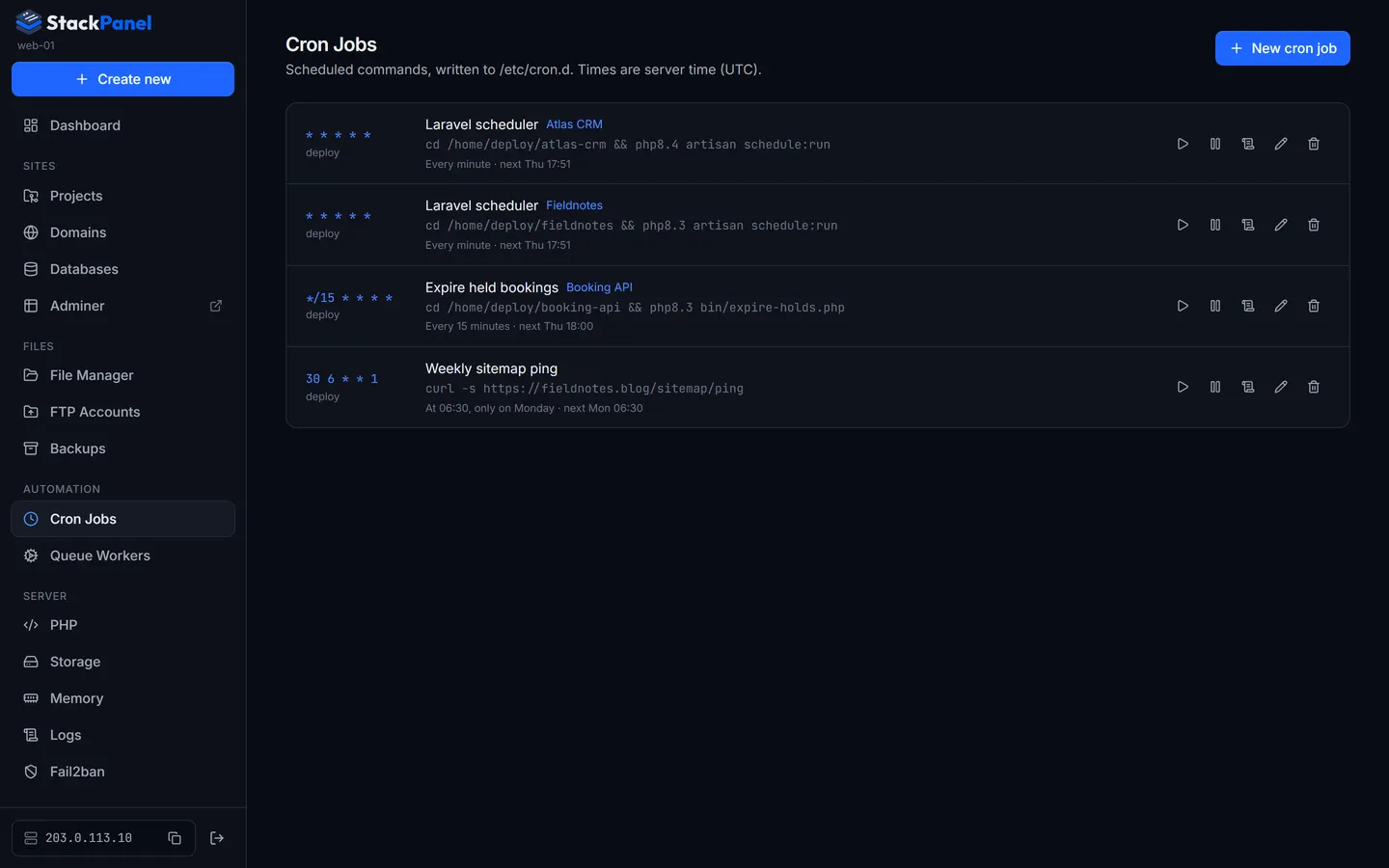
Cron Jobs → New cron job, or from a project's Workers & cron tab.
- Pick a template (optional)
With a project selected you get Laravel scheduler (
* * * * * cd /home/deploy/app && php8.3 artisan schedule:run) and an Artisan command starter. - Build the schedule
Choose Minutes, Hourly, Daily, Weekly (pick days), Monthly or Custom (five fields). The expression, a plain-English description ("At 03:00, every day") and the next three run times update as you go.
- Command
A single line run with bash as the chosen user (the deploy user is recommended). Turn on Keep output log to capture output.
Each job becomes /etc/cron.d/sm-cron-<id>, and the exact line is previewed before saving. From the list you can run now (shows output), pause/enable, view the log, edit or delete. Times are in the server's timezone.
Queue workers
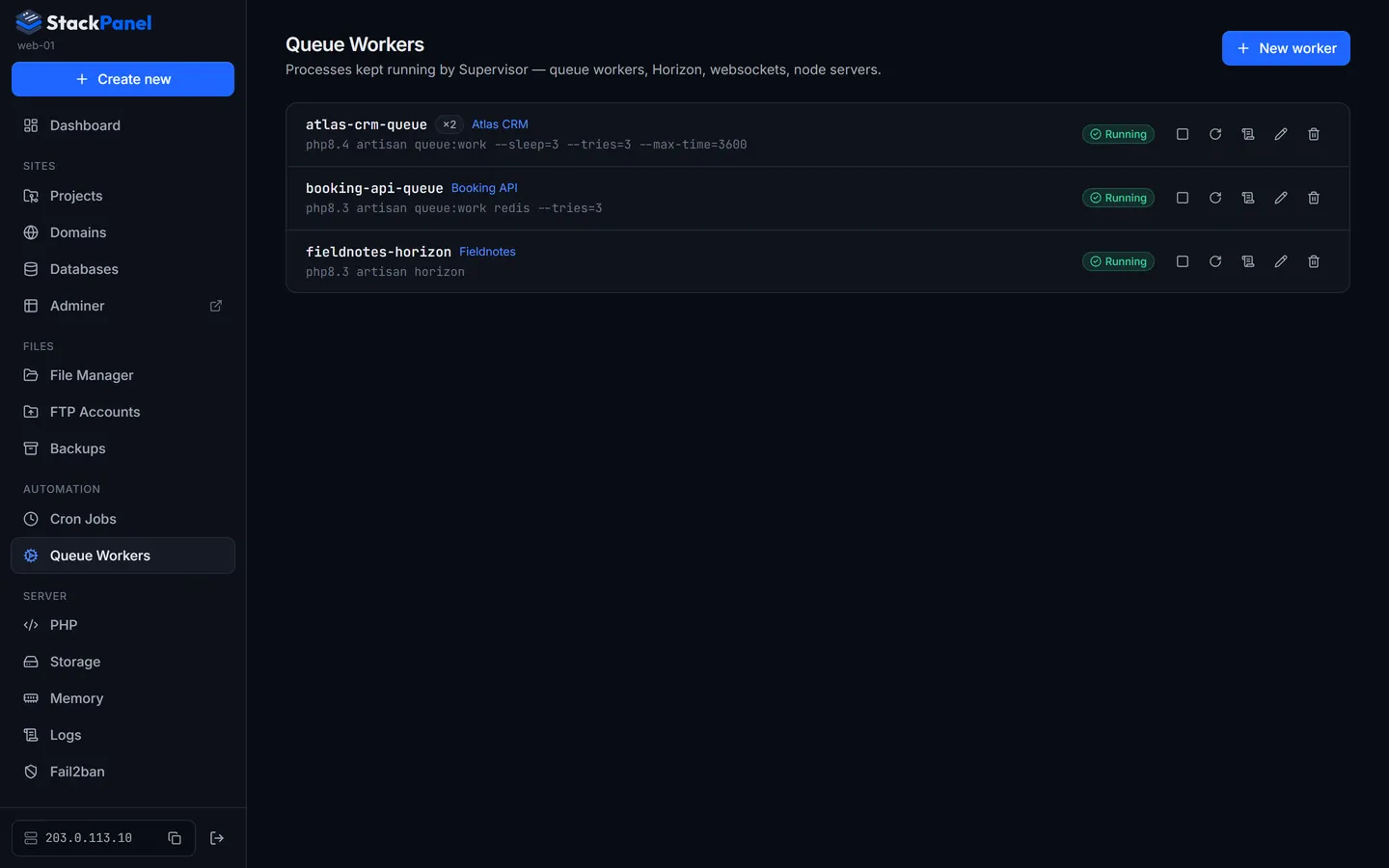
Workers are long-running processes Supervisor keeps alive and restarts if they exit: Laravel queue workers, Horizon, Reverb, Node servers.
- New worker: select the project to unlock templates with the right PHP binary and paths: Laravel queue:work, Horizon, Reverb, Node process.
- Set the name (becomes
sm-<name>), command, working directory, user, number of processes and stop wait (how long running jobs get to finish when stopping). The generated Supervisor config previews live. - Each row shows the live state (Running, Stopped, Restarting (BACKOFF), Fatal) with start, stop, restart, logs, edit and delete.
- Disabling a worker removes it from Supervisor but keeps the definition.
Queue workers keep old code in memory. The Laravel deploy preset ends with php artisan queue:restart so workers pick up new code after each deploy.