 StackPanel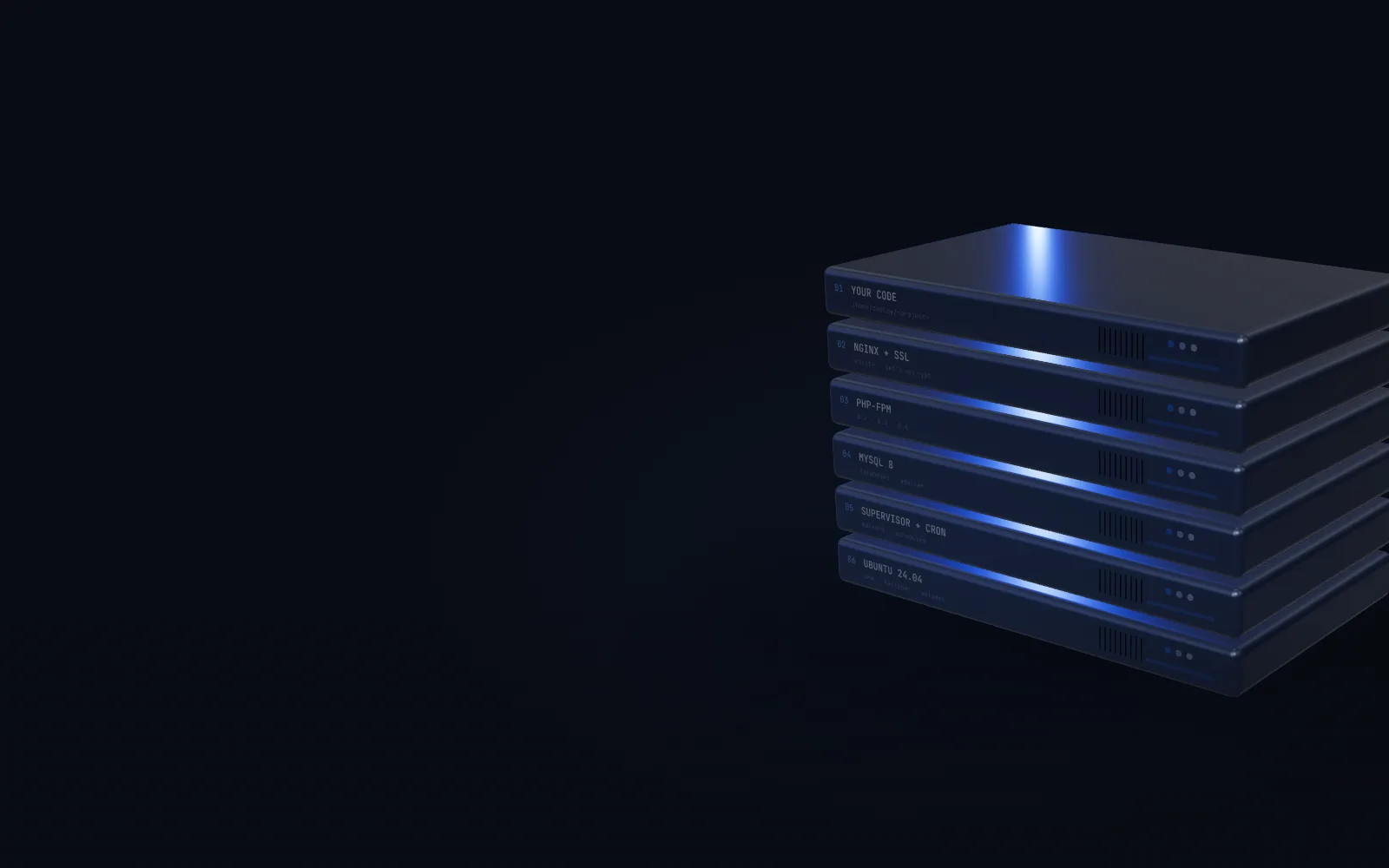
Self-hosted server control panel
The control room for your own server.
Deploy from git. Point a domain, get SSL. Make the database, schedule the jobs, watch the load. StackPanel runs the Ubuntu server you already pay for, from one calm, fast interface.
How it works
Six layers.
One panel.
Every site you host sits on the same stack. StackPanel writes the config for each layer, checks it and reloads it, and leaves everything running as ordinary services on your server. Stop the panel and your sites keep serving.
01 · Your code
From repository to live site
Paste a git URL. The wizard creates a deploy key for that project, tests access, then sets up domains, database, queue worker and scheduler and provisions everything with a live log.
- Laravel, plain PHP or static builds
- Push-to-deploy webhooks for GitHub and GitLab
- Every deploy kept with its full output
02 · nginx + SSL
Domains that just work
One vhost per domain, sub-domains and www handled, a DNS check before Let's Encrypt is asked for a certificate, and automatic renewal after that.
- Every change tested with
nginx -t, rolled back on failure - Park a domain or list it for sale with an enquiry page
03 · PHP-FPM
Several PHP versions, side by side
Pick a version per project. Add a new one from the panel, see exactly what uses each version, and move projects, cron jobs and workers across in one click.
- Missing extensions flagged before you move
- Pools run as the deploy user, OPcache on
04 · MySQL 8
Databases in one step
Database, user, strong password and grants in one wizard, then straight into the project's .env. Adminer is built in, behind the panel's login.
- Reveal or rotate passwords; adopt existing databases
- Localhost only; remote access is never opened
05 · Supervisor + cron
The work that runs while you sleep
Cron schedules with a plain-English preview and the next run times. Supervisor workers with templates for queue:work, Horizon and Reverb.
- Run now, pause, live state and logs
- Laravel scheduler in one click
06 · Ubuntu 24.04
The machine underneath
Live CPU, memory, disk and load, services with restart buttons, a memory breakdown per process, fail2ban, logs, and DigitalOcean volumes you can move every project onto.
- UFW and fail2ban configured at provisioning
- Verified, rollback-safe storage moves
The panel
Calm by design.
Every screen links to the next. A project knows its domains, database, workers and cron jobs, so you never go hunting for where something lives. These are real screens from a running server.
Deploy
Push, and it's live.
Every deploy streams its output as it runs and stays in the history, with who or what started it.
Deploying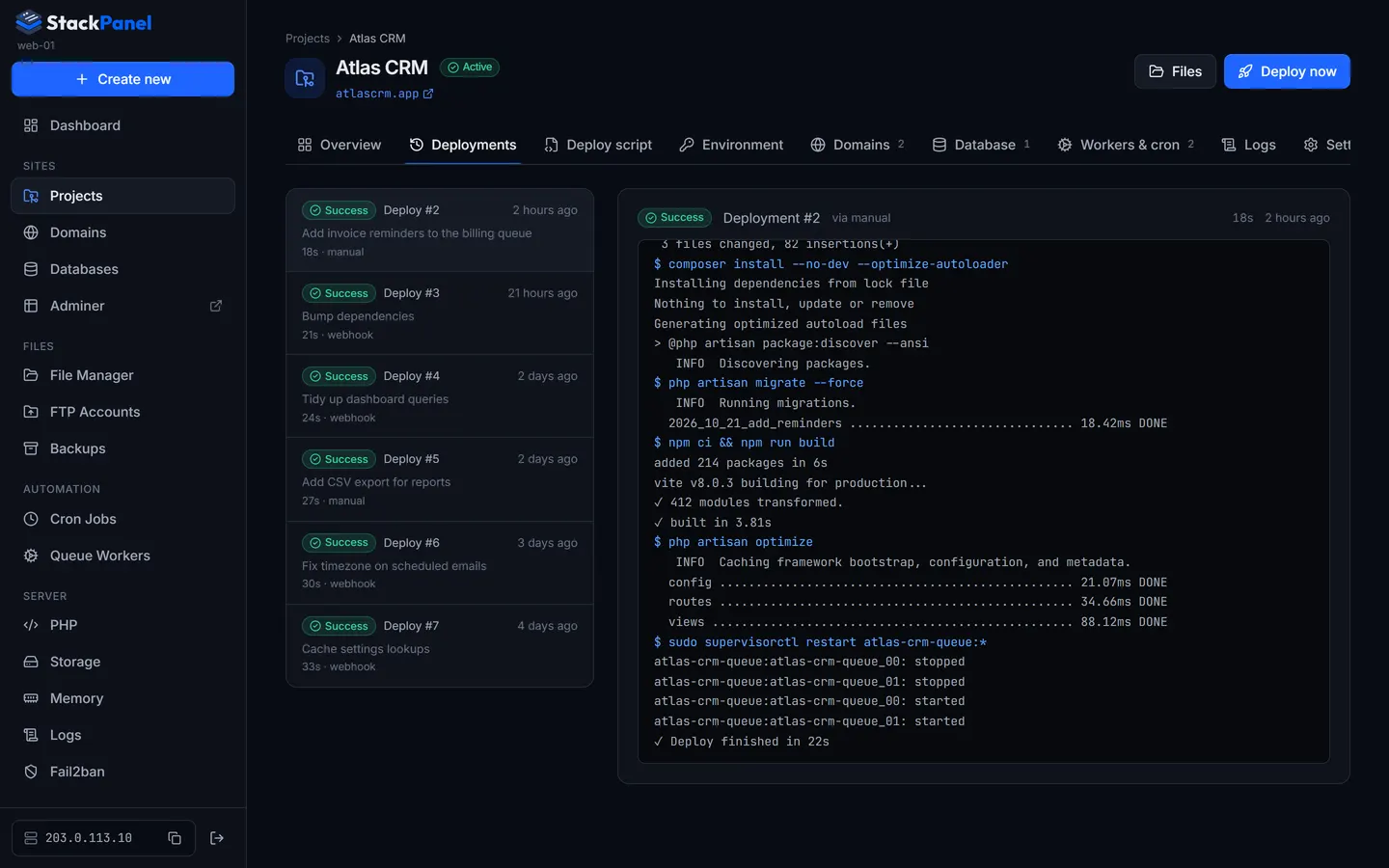
Domains
Every domain has a home.
Connected, parked or for sale, each with its certificate and expiry date in view.
Domains & SSL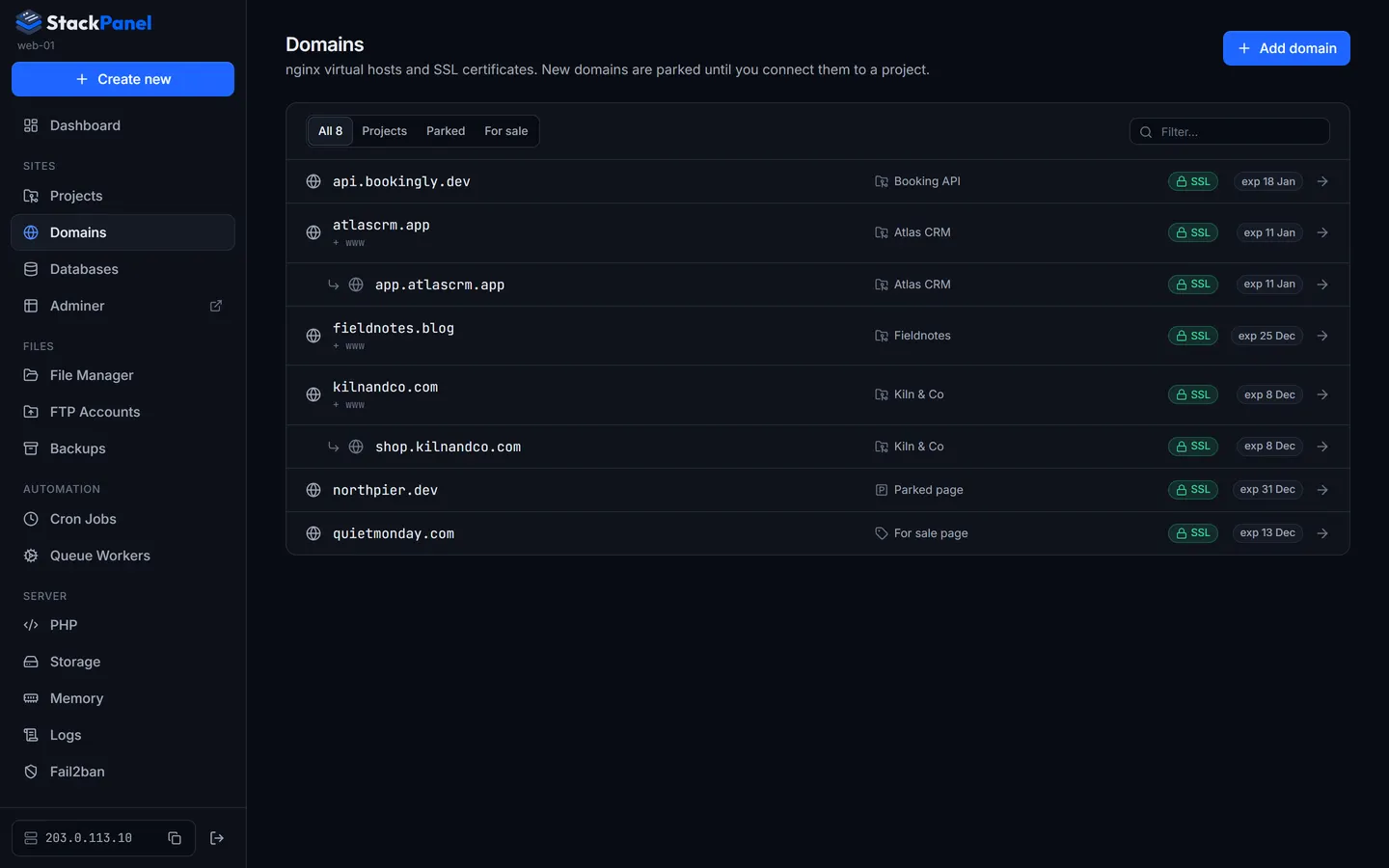
Monitor
The whole box, at a glance.
Live usage every three seconds, a 24-hour history and every service with a restart button.
Dashboard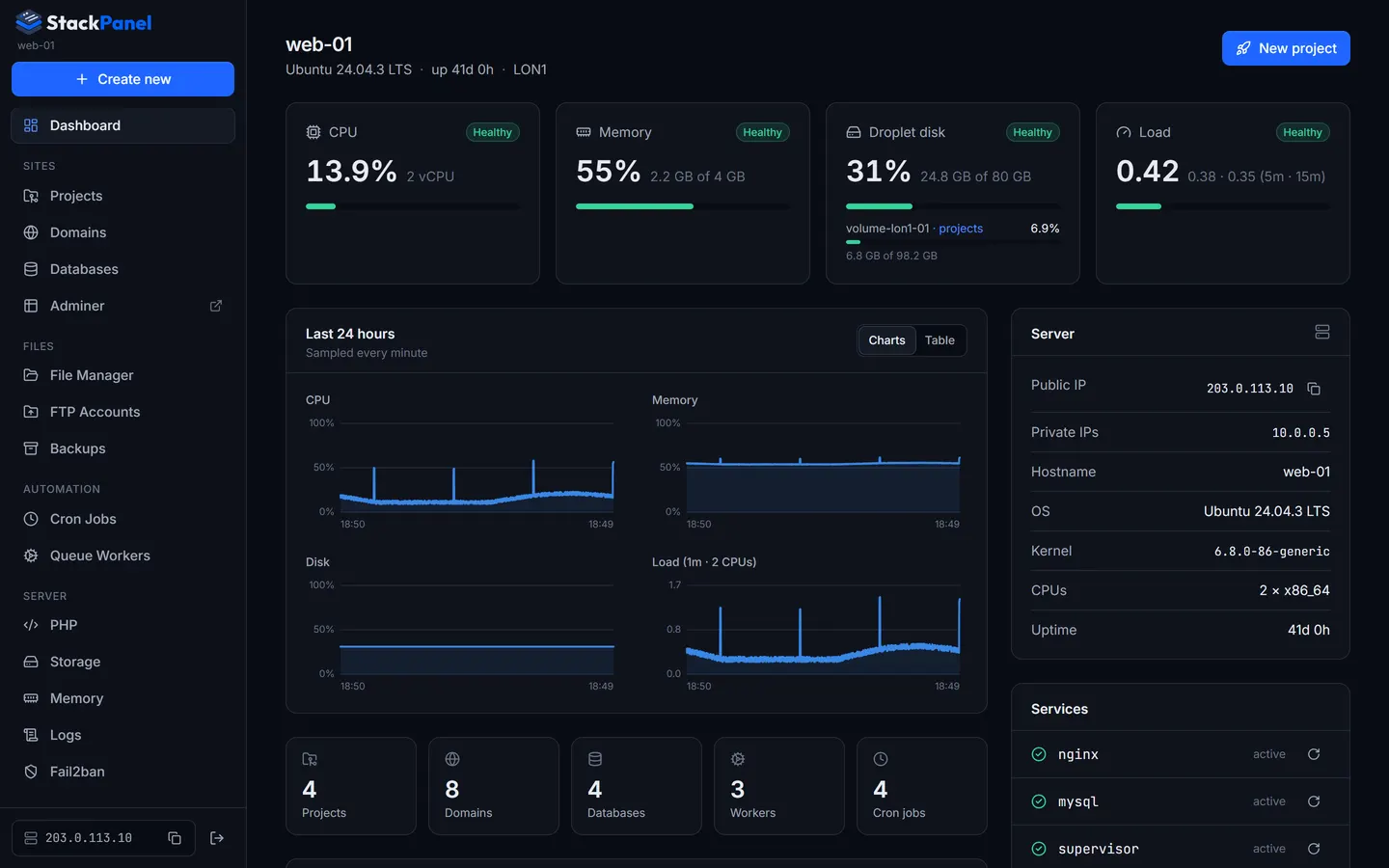
Backups
Backups that leave the building.
Separate schedules for databases and files, pushed offsite to SFTP, FTPS, FTP or Dropbox.
Backups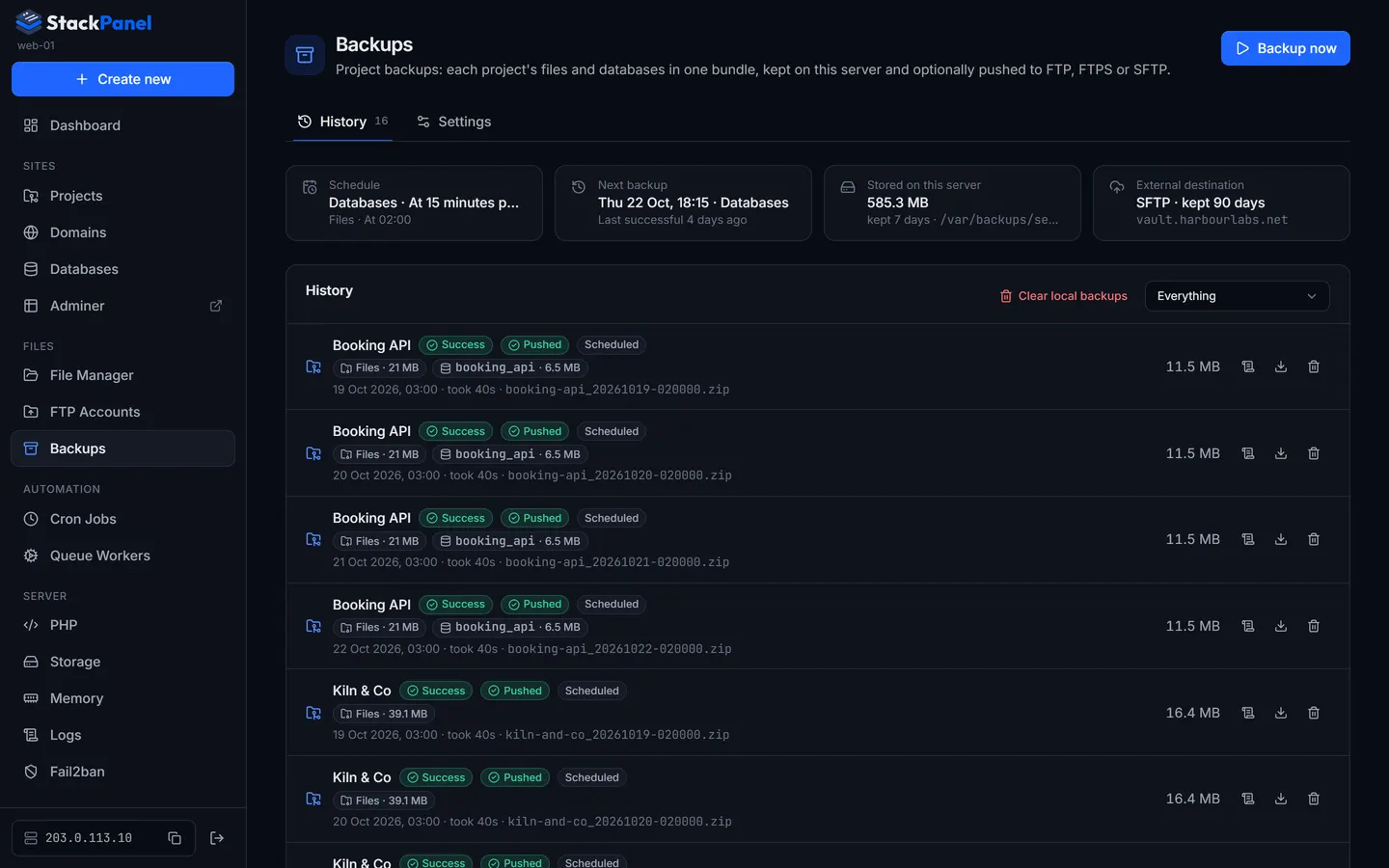
PHP
Upgrade PHP without the dread.
See what runs on each version, then move it across, project by project or all at once.
PHP versions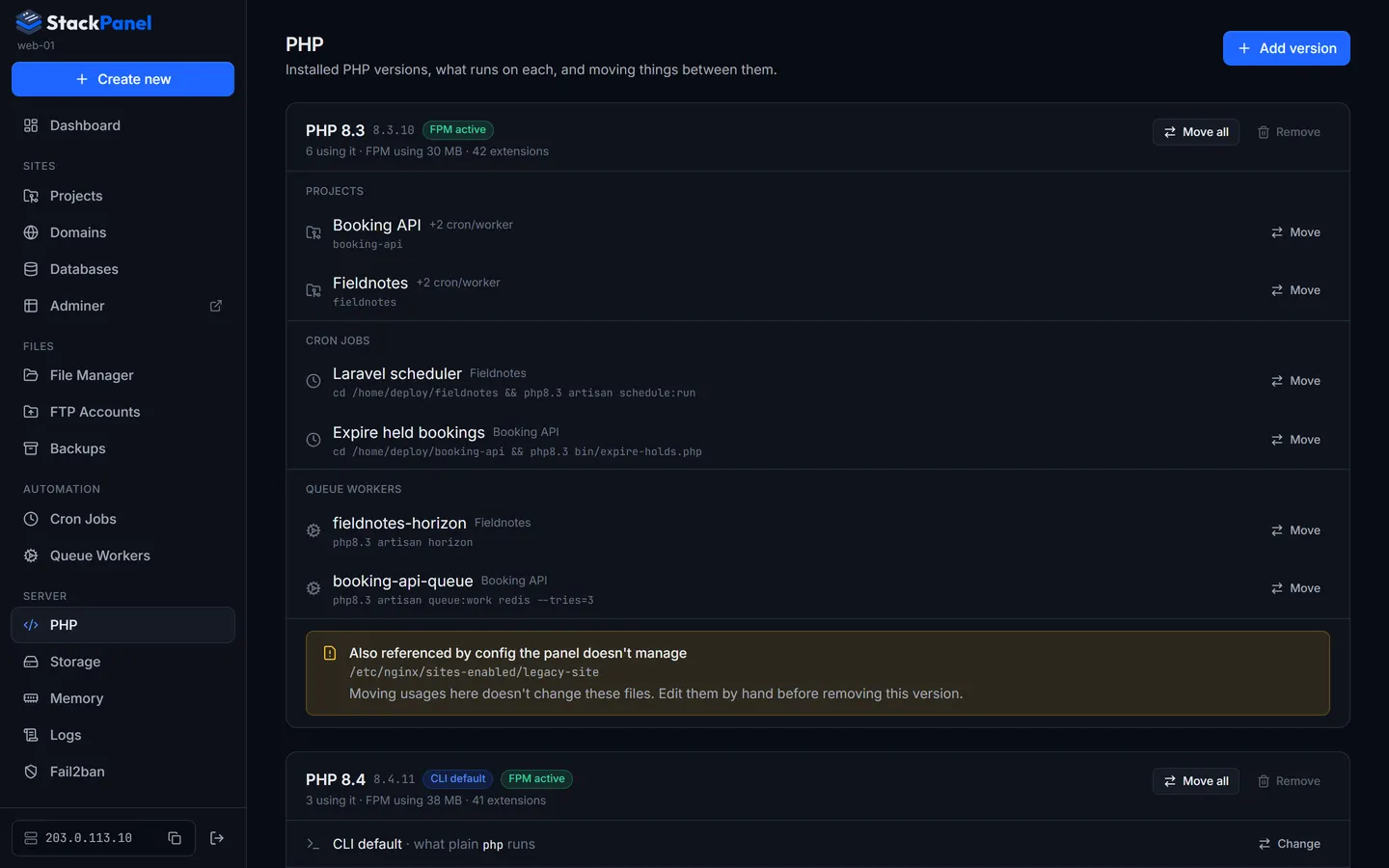
Memory
Know where the RAM went.
Memory per service and process, with tuning you can copy when something's oversized.
Memory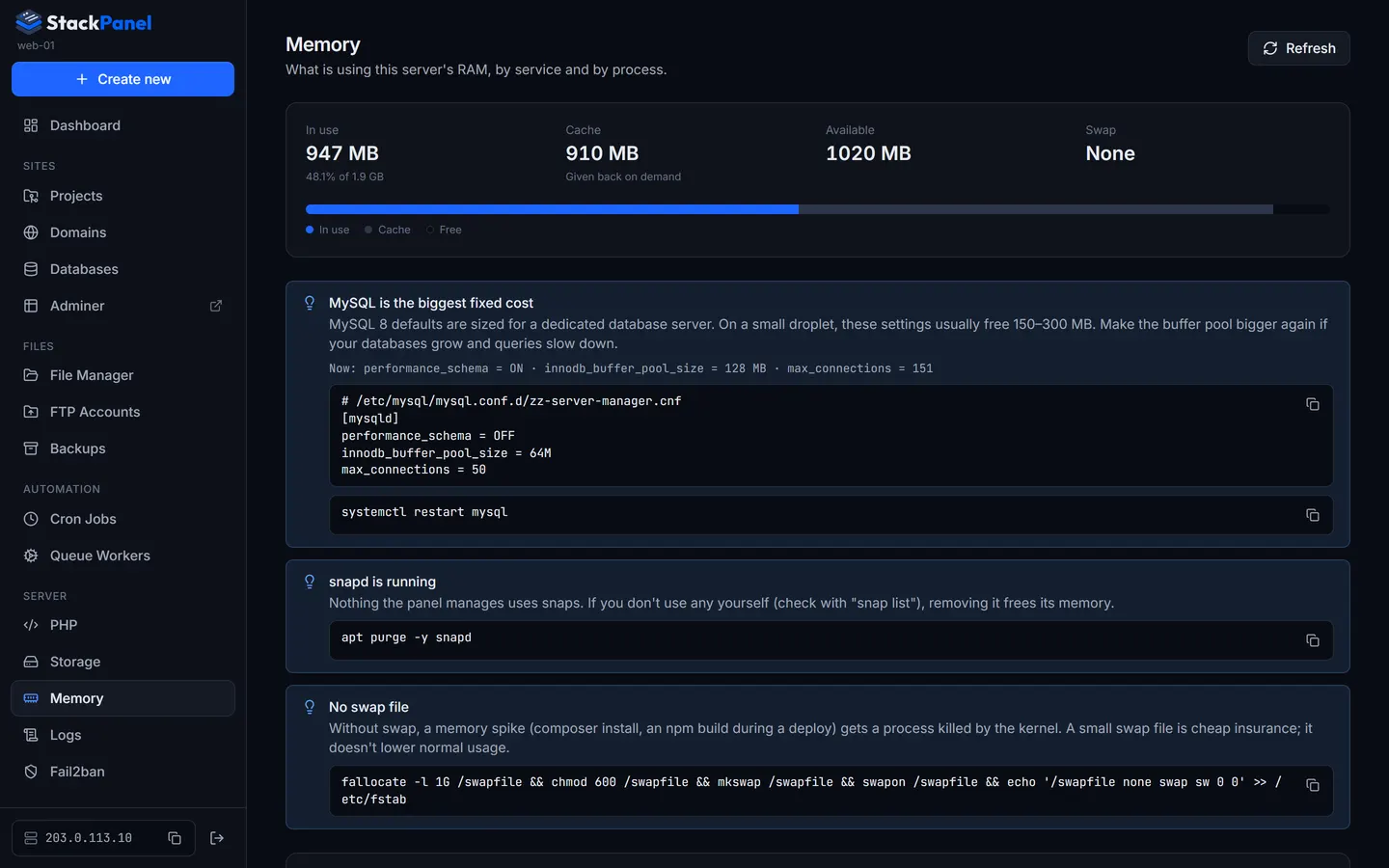
Specification
Everything you did
over SSH.
The full list, without the marketing. Each line links through to the docs if you want the detail.
Group 01
Sites
- Projects
- Laravel, PHP or static from any git host, through a six-step wizard. One read-only deploy key per project.
- Deploys
git pullby default, a Laravel preset in one click, live output, full history, one deploy at a time.- Webhooks
- Auto-deploy on push. GitHub HMAC signatures and GitLab tokens checked; other branches ignored.
- Environment
- Edit a project's
.envin the browser. Passwords, keys and tokens stay masked until revealed. - Domains
- Sub-domains and www, connected to a project, parked, or listed for sale with an enquiry button.
- SSL
- Let's Encrypt over the webroot method, a DNS check first, automatic renewal and an nginx reload after.
- Databases
- MySQL database, user, generated password and grant presets in one wizard. Reveal, rotate, adopt.
- Adminer
- Built in at
/adminer/, only reachable while you're signed in to the panel.
Group 02
Files
- File manager
- Edit, upload, move, zip download and extract. Locked to the home folder;
.sshhidden. - FTP accounts
- Upload access to one folder for a designer or client. TLS required, quotas, live sessions.
- Backups
- One bundle per project: the files plus a dump of every linked database. Separate schedules for each.
- Offsite
- Pushed to SFTP, FTPS, FTP or a Dropbox app folder, with retention set per location.
Group 03
Automation
- Cron jobs
- Visual builder, a plain-English preview and the next three runs. Run now, pause, keep output.
- Queue workers
- Supervisor programs with templates for
queue:work, Horizon, Reverb and Node.
Group 04
Server
- Monitoring
- CPU, memory, disk and load every three seconds, 24 hours of history, services with restart.
- PHP versions
- Install and remove versions from the panel. Move projects, cron jobs and workers between them.
- Storage
- Format and mount DigitalOcean volumes. Move every project onto one, verified, with rollback.
- Memory
- RAM per service and per process, with MySQL and PHP-FPM tuning suggestions to copy.
- Logs
- nginx, PHP-FPM, MySQL, Supervisor and Laravel logs, live follow, restart after a config test.
- Fail2ban
- Jails, bans, unbans and a permanent whitelist, including one click for your own IP.
Group 05
Access
- Owner
- The main login lives in the server's
.env, never in the database. Optional 2FA. - Team
- Extra users with mandatory TOTP 2FA, instant disable, and their name on every deploy they start.
- Panel domain
- The panel on its own domain and port with HTTPS, never on 80 or 443.
- Updates
- Check and install from Settings. The update runs on the host; your sites stay up.
Security
Security
A control panel holds the keys to the building. So StackPanel behaves like it.
Login
The owner isn't in the database
The main login lives in the server's .env. It can't be edited, disabled or exposed through the UI or API.
2FA
Two factors for everyone else
Team members enrol in TOTP before the panel will answer a single other request.
Secrets
Sealed at rest
Database, FTP and webhook secrets are encrypted, shown once on request and scrubbed from every log.
Web root
Never the project root
nginx only serves a sub-folder such as public, so .env and vendor can't be fetched.
nginx
Changes you can't break
Every config is tested with nginx -t before reload, and the previous file comes back if it fails.
Network
A port only you know
The panel answers on its own port, never 80 or 443, so you can fence it off at the firewall.
Getting started
Ten minutes from
a blank droplet.
Request access
Email us about your setup. StackPanel is available by request, and approved accounts get access to the private repository.
Provision a fresh server
One script installs nginx, PHP, MySQL, certbot, Supervisor and Docker, sets up the firewall and starts the panel.
Sign in and deploy
Open the URL it prints, turn on two-factor authentication and create your first project.
$ bash provision/provision.sh --php "8.3 8.4" --email you@example.com
━━ Updating base system
━━ Adding package repositories (ondrej/php, NodeSource, Docker)
━━ Creating deploy user 'deploy'
━━ Installing nginx
━━ Installing PHP 8.3 8.4
━━ Installing MySQL
━━ Installing certbot, supervisor and cron
━━ Installing Docker Engine
━━ Configuring firewall
━━ Starting StackPanel
━━━━━━━━━━━━━━━━━━━━━━━━━━━━━━━━━━━━━━━━━━━━━━━━━━━
 Provisioning complete
  Panel     http://203.0.113.10:8090
  Email     you@example.com
  Password  hT4n…(20 characters)
━━━━━━━━━━━━━━━━━━━━━━━━━━━━━━━━━━━━━━━━━━━━━━━━━━━
Questions
Before you ask.
Who is StackPanel for?
Developers and small agencies who host Laravel and PHP sites on their own VPS, and want a hosting panel's convenience without giving up control of the server.
How do I get it?
StackPanel is available by request. Email hello@sccpro.co.uk with a little about your setup. Once you're approved you get access to the private repository and can follow the installation guide.
Which servers does it support?
A fresh Ubuntu 24.04 server with root access. It's developed and run on DigitalOcean droplets; 1 GB of RAM works, 2 GB or more if you build front-end assets on the server. One panel manages one server.
Do my sites run inside Docker?
No. Only the panel runs in a container. Your sites are served by the server's own nginx and PHP-FPM, with MySQL on the host, so you get native performance and can still work by hand when you want to.
What happens to my sites if the panel stops?
They keep running. nginx, PHP-FPM, MySQL, cron and Supervisor are ordinary services on the server. StackPanel writes their config; it isn't in the request path for your sites.
Can my team use it?
Yes. The owner adds users, who must set up two-factor authentication on first sign-in. They can manage sites; only the owner manages users and server settings.
How is it updated?
From Settings: check for updates, then update now. The update runs on the host and rebuilds the panel's container; the page reconnects when it's back. Sites, workers and cron jobs keep running throughout.
Access
By invitation.
StackPanel isn't a sign-up form. Tell us about the servers you run and what you host, and we'll get you set up with access.